
An early-stage ‘doing SEO’ SaaS company GA4 will often look like this. They’re publishing twice weekly, with organic sessions trending upwards. However, they’re going nowhere with the demo pipeline. They’re building pages that rank (usually for ‘what is employee engagement’) which are being consumed by students and other marketers but hardly anyone with an engagement budget.
SaaS SEO will begin to pay off once your initial pages are the ones a buyer will look at when comparing vendors. Everything else will be supporting these pages to rank and convert. We will look at the amount of trials they’re helping produce and how popular they are compared to pageviews.
Why SaaS SEO differs from others
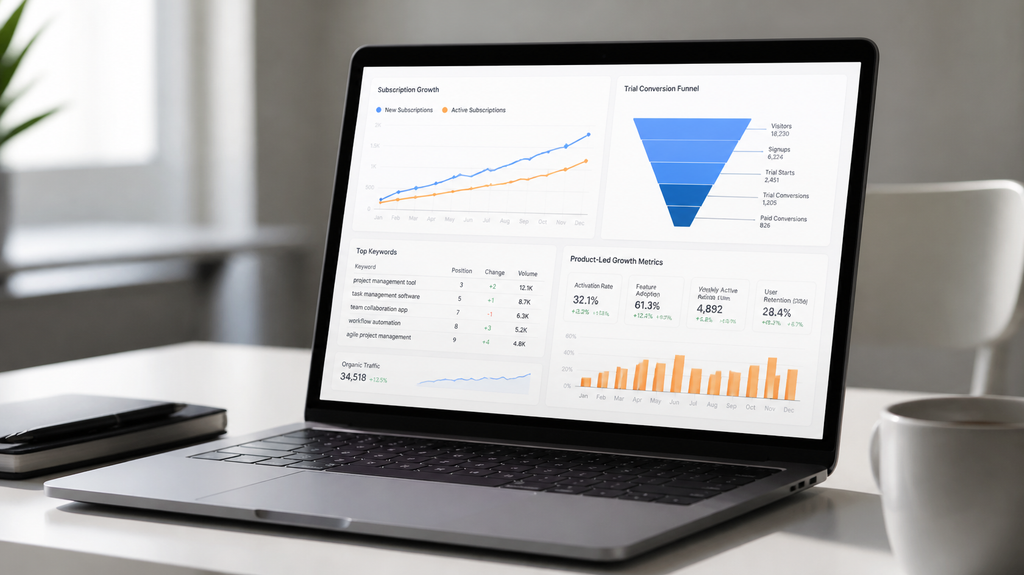
Whilst Google are crawling and ranking your pages like any other (such as a bakery) it changes how much each search is worth.
‘Employee onboarding software’ won’t come up highly in Ahrefs compared to consumer searches for onboarding new employees but the value of one annual contract could be thousands. The person searching is already in the market so we will never use a volume filter for SaaS keywords.
Buying decisions are often made by more than one person. Ops will find the tool, Finance will look for per seat pricing, IT will look at SSO and data residency and a director will sign. If they can’t find an answer through search you could lose the deal without knowing why.
You’ll also have pages from your product that a service won’t. Integration pages, templates, help centre and changelogs. However, your website is likely to be a React or Next.js app so you’ll face rendering issues unlike a WordPress brochure site.
SaaS SEO strategy around revenue pages

Probably the most controversial thing we do is not publish blog content until we have our commercial pages. Whilst content calendars are easy to sell and report on, they’re not as quick and require input from product. We feel they should come first.
This will include:
- Category page for your core term (expense management software)
- Pages for each key feature or function
- Use case pages split by industry/team size
- Comparison pages (named competitors)
- Alternatives pages
- Integration pages
- Pricing page with answers to the questions Finance will ask
Many SaaS sites only have the homepage and pricing page. The features pages are just tabs with screenshots and a headline. If someone does a search for [competitor] alternatives after a painful renewal call they won’t find anything. Creating these pages is the start of a B2B SEO strategy around pipeline.
Prioritise keywords based on purchase stage
All keywords we export will be tagged with the purchase stage. Problem aware keywords will be looking to solve their issue (how to reduce appointment no-shows). Solution aware will be looking for the category (appointment reminder software). Product aware keywords will be looking for a specific vendor ([competitor] pricing, [competitor] vs [your brand]). We will always put the product aware keywords to the top of the list even if they’re low volume. Keywords with modifiers like ‘for agencies’ or Alternatives will indicate the same intent. See how we break down high intent keywords and how to filter for them in a big export.
Look at what your competitors are ranking for
Export what pages your competitors are ranking for non-brand traffic. Usually you’ll see a pattern from 3-4 competitors. Often they will have a few integration pages, template gallery or one free tool. Once you’ve done an SEO competitor analysis you’ll have a list of queries you don’t have pages for and queries you’re on page 2. It can be tempting to copy their pages but it’s mostly pointless. You’ll see what formats Google are favouring in your category but it doesn’t tell you what your buyers want to read.
Types of content to convert searches on SaaS
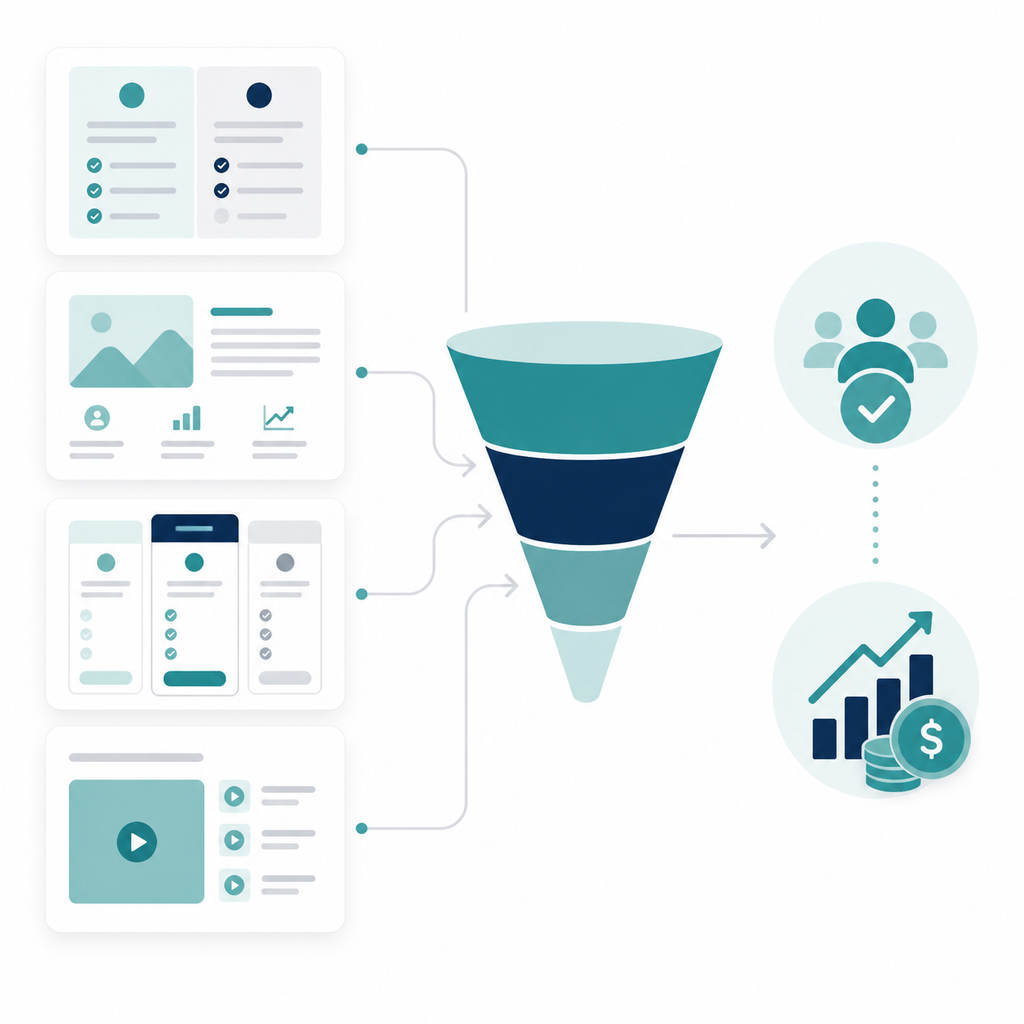
A SaaS page needs to target the correct audience and give them a reason to sign up. Most blogs will miss the second part. This guide will help you create content to convert on SaaS.
Comparison/Alternatives pages
Someone looking at [your brand] vs [competitor] will have likely trialled the competitor. They know what they’re good at. If you have a comparison table where you win all the points including price they’ll know you’re not paying attention or hoping they don’t notice.
We will always include real benefits the competitor has. Maybe they’re better for much larger teams or link to a tool you don’t support. This will help the page convince the buyer who your product is best for with specific details around setup and pricing. Marketing teams can be uncomfortable with this but we think it’s worthwhile as the claims will be verified by evaluators and they will pass the pages onto others they trust.
[Include an example of a comparison/alternatives page you have created for a SaaS client. What impact did it have on demo requests/trials? Over what time frame?]
Integration, Template & Use Case Pages
A well written integration page will answer 4 questions. What integrates, direction, how quickly it can be set up and what customers can build. As all pages will follow the same structure you can create them from a database. This is the core of programmatic SEO for SaaS. There is a risk that you have 500 pages with the only variable being the name and logo of the partner. Google tend to see this as thin content and near duplicate. This can affect how the rest of your site is seen. We would create around 40 pages with real setup steps. Check what impressions they’re getting from GSC and build out from there.
Educational content around the product
For an invoicing tool, “how to follow up on an unpaid invoice” is a reasonable top of funnel question for an invoicing tool. Whilst you could answer with 5 email templates adding in a reminder schedule and screenshot of the reminder setting in your product will help. The freelancer will get the email they want and the finance team sending hundreds of invoices a month will have a reason to trial.
Help centre content should be given more SEO consideration. Having a guide to migrate data from [competitor] will target people who have already decided to switch. You will need a helpdesk platform where you can have custom titles and indexable URLs. Ensure you’re linking to the help centre from the main site.
Technical issues with SaaS websites
Your marketing site could be beautiful in chrome but offer very little for Googlebot to index.
JavaScript rendering & Single Page Apps
Google have 3 stages for JavaScript apps. Crawl, Render & Index. Any URL returning a 200 will be added to a render queue. Sometimes this can take a few seconds but can take much longer. Google still recommend using SSR or pre-rendering for speed and as some bots won’t run JavaScript. Google only follow links from elements with an href. If your navigation is built using clickable divs they won’t see it.
The fastest way to test a Next.js/React site is to crawl the same URLs twice using Screaming Frog. Once as text only and once with JavaScript rendering. Any content that only appears when JavaScript is rendered (Copy, Titles, Canonicals & Nav Links) will rely on the render working every time. We have a full list of checks to pass onto engineering teams in our Technical SEO Checklist for SaaS.
Subdomains, App Pages & Staging Sites
SaaS sites rarely have everything on one site. Your www subdomain will have marketing content, your app will be on a separate subdomain, your documentation will be on a helpdesk platform and your blog could be on a separate CMS. No one team will own everything. Our initial checks will be:
- Login & Signup URLs being indexed with parameter variations
- Staging sites found by Google
- Documentation not linked from main navigation
- Canonical tags copied across template so multiple pages claim the same URL
Nothing is hard to fix but it often comes up as product releases aren’t reviewed by marketing. We’d crawl after every major release.
Link building for SaaS
We would say the biggest untapped link source for SaaS is integration partners. Many have app marketplaces or partner directories. You might just need to fill in a form and provide a couple of screenshots. Review sites will cover your category regardless of engagement. Anonymised product data can be used for research that gets cited by journalists. A free calculator solving a real issue will continue to get links.
Most links will go to your homepage, blog or tool. You need your feature, comparison and integration pages to rank so internal links need to pass the authority. We would link from the research piece/tool to the relevant product page with descriptive anchor text. Ensure all your commercial pages are only 1 or 2 clicks away from something that will get links.
Avoid paid link packages & PBNs. Google consider any links bought to influence rankings as link spam. If you get penalised it will affect the same domain producing your pipeline. See our SaaS link building guide to see when outreach isn’t safe.
SaaS SEO & AI Overviews
Google are pretty straightforward with this. They state that the same SEO principles apply to AI Overviews & AI Mode. Any page that is indexed and qualifies for a snippet will be used as a supporting link. Getting cited on Google is very similar to getting ranked.
Outside of Google it can be a bit murky. A buyer could ask their assistant for expense tools suitable for a 50 person company and get a shortlisted result without visiting the vendors site. If they ask again they could get a different result. No one outside of the companies creating the assistants will know how the answers are put together.
Our assumption is that if a brand is mentioned consistently across comparison articles, review sites, community forums and their own pages they have the best chance of being mentioned. We are putting more effort into getting third party mentions and having product pages that clearly state what the tool does and roughly how much it costs. See our guide to ranking in Google AI Overviews for more details on page level.
How to measure SaaS SEO success against pipeline
Sessions should be low on your report. We always start with:
- Organic landing pages – Ranked based on how many trials, signups & demo requests they’re generating in GA4.
- Trial to Paid Rate – For organic users compared to paid search/social.
- Commercial Keyword Rankings – Separately from blog keywords.
- CRM Pipeline/Closed Won – With organic as first touch.
- Free text answers for How did you hear about us? on the demo form.
The free text field is seen as old fashioned but we’d always include it. Someone could initially find you via an AI answer or comparison article and come back weeks later as direct traffic. The source field in your CRM will be incorrect.
Commercial pages on a younger domain can take months to rank for competitive keywords. We will review them for the first time around the end of Q1. We give educational content more time based on assisted trials. Using our SEO ROI Framework we can compare the Customer Lifetime Value against the cost of the content, links and engineering.
[Include an example of organic trials/pipeline for a SaaS client. Before & After a push on bottom of funnel content.]
SaaS SEO Strategy by Growth Stage
As your company grows the amount of work you should be doing on SEO should change. Use the table below as a guide. We care more about the order than the stages.
| Growth Stage | Where to focus | Leave until later |
|---|---|---|
| Early (pre/pMVP) | Category, Feature & a few honest Comparison pages. Founder written posts around issues they know. | Big content calendars, Programmatic pages & Link Campaigns. |
| Growing | Alternatives, Integration pages. Technical clean up on marketing & documentation. First link earning asset (Free tool or Original Data). | International versions & High volume content. |
| Scaling | Programmatic Templates, Content updates, AI Search Visibility, Migration & Use Case content for new segments. | Replicating pages that are already converting. |
| Multi Product/Enterprise | Ownership of pages between product lines. Avoid duplication of similar pages. Template & Release Governance. | New Top of Funnel topics with no product connection. |
If your seed stage company has unique data within a niche you could prioritise programmatic pages but ensure you have your commercial pages live.
Final Thoughts
SaaS SEO will take time to start showing results in the first few months. Once it does it will start to snowball. This means you want to get things right in the initial months. Nearly any B2B software company will want to create pages that a buyer will look at in the final week of their evaluation. Ensure they’re the top result for their query and use content, technical and links to get them found. 40 general blog posts will get you traffic but very little will make it into your CRM.
FAQ
What is SaaS SEO?
SaaS SEO is optimising search for software companies. Targeting people likely to start a trial or demo. It relies on the usual fundamentals but comparison, integration and use case pages play a large role. Results will be measured based on pipeline.
How long does SaaS SEO take to show results?
Improvements to existing pages can show some movement in a few weeks. New commercial pages on a younger domain will usually take several months to rank for competitive keywords. We would give it at least 2 quarters before deciding if it’s working for you based on revenue.
Should I invest in SEO as a SaaS startup before achieving product-market fit?
A little. Category, Feature & Comparison pages are worth creating early on as they’ll be used by sales. Don’t do a big content push until you know who your customers are and why they’re buying.
How does B2B SaaS SEO differ to B2C SaaS SEO?
B2B buyers take longer, involve more people and have less volume per keyword. B2C SaaS will have higher volumes and quicker decisions so more depends on converting on 1 visit.
Should I employ an in-house SEO or agency for my SaaS?
It depends on how much technical and content work you have each month. In-house will know the product inside out and will be close to engineering. Agencies will have pattern recognition from many sites and can manage content, technical & links. Many teams will find it a sensible option to start with an agency and employ an in-house lead once search becomes a core channel.
Is SaaS SEO still important with AI search?
Yes. Google state that nothing extra is needed for AI Overviews & AI Mode. Just ensure your pages are indexed and qualify for a snippet. This means the same work goes into ranking. Assistants can only recommend tools that have been written about so third party mentions and clear product pages become more valuable.